The Point of Sale That Knows Who Made Every Sale
BlueTrack is a point of sale for any business where a sale is credited to the person who made it: salons and barbers, spas, shops and showrooms, restaurants, cafés and bars. Every line is named to the staff member it belongs to as it is rung, and BlueTrack works out what each person has earned by the end of the shift.
Get the App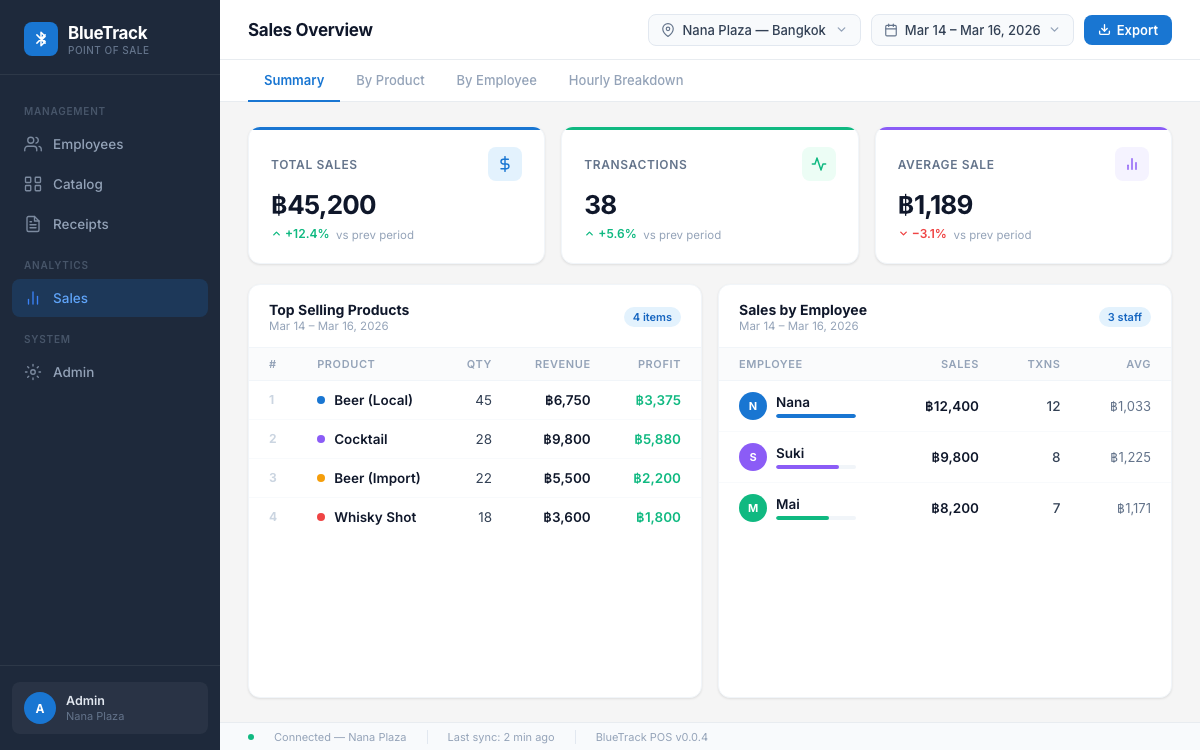
A Register Knows What Sold. Not Who Sold It.
When your people earn on what they sell, the sale and the person who made it have to travel together. Most registers drop the person the moment the sale is rung.
Commission Worked Out by Hand
Someone sits down after close with the receipts and a notebook to work out what each person earned. One slip and the wrong person is paid the wrong amount.
Sales Nobody Can Credit
A busy afternoon blurs together. By the end of the shift nobody is sure whose client bought the extra product or which server sold the bottle, and the argument starts.
A Drawer Nobody Can Explain
Cash goes out for supplies, comes in for change and goes to staff as pay. Without a record of each move, a short drawer at close has no explanation.
Every Sale Credited. Every Person Paid Right.
One app on your tablets and phones runs the sale, the pay and the close.
Credit Every Sale to the Person Who Earned It
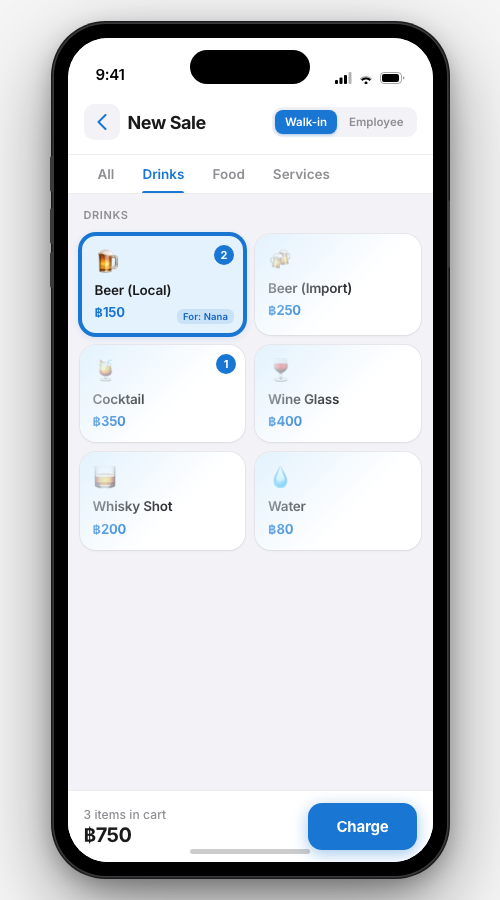
Tap a staff member’s face above the menu, then tap the items. Each line carries that person’s name. Any line can be named to anyone, and the sale panel totals what each person earned on that sale.
Pay Staff by Rules You Write
Commission, bonuses and a person’s own rate are all pay rules, each read back as a plain sentence. The Commission page shows what the shift owes each person, with owed, paid and still to pay.
Open Tabs or Ring at the Counter
Open a tab on a table, a chair, a room or a takeaway order, or ring a counter sale on the spot. Move lines between tabs, merge two tabs, or rename one.
Take Payment and Issue the Receipt
Record cash, card and Scan payments, or split one sale across several ways to pay. Quick tendered amounts show the change due. Print the receipt or send it, with a QR code for the digital copy.
Every Cash Move on Record
Take cash out, put cash in, pay staff now and record a count, all from one Cash screen. Cash cannot come out without a photo of its receipt, and every move lists who made it and when.
Close the Shift With a Blind Count
Close from the floor, one step at a time. Count all the cash; the close ends on the amount to deposit, with the day’s summary one tap away.
Control What Comes Off a Bill
Void, comp or discount a line with a reason, and refund a receipt line by line. When the person doing it may not approve it alone, a manager approves with their face and PIN.
Run the Back of House
Stock levels with par and minimum for every item, deliveries received against a photo of the bill, recipes for items made from stock, and stock orders you can change or cancel.
See Everything Past Today
One Sales page shows what the business took, day by day, what sold, who it was credited to, by group and by hour, every figure shown against the same stretch before it.
From the First Sale to the Close
Set Up Items, People and Pay
Add your items with their sizes and add-ons, your people and their roles, and the pay rules that decide what each sale pays.
Name Each Line as You Ring It
Staff unlock a shared device with their face and PIN, tap the person a sale is for, then tap the items. Every line carries that name.
Close and See What Each Person Earned
Count the drawer blind and the close ends on the amount to deposit. The Commission page shows what the shift owes each person, broken into the rules that produced it.
For Every Business Where Staff Earn on What They Sell
If a sale belongs to the person who made it, BlueTrack credits it to them and works out what they earned.
Get BlueTrack on Your Tablet or Phone
Install BlueTrack from the App Store on an iPad or iPhone, or from Google Play on an Android tablet or phone. It needs a BlueTrack account for your business and an internet connection to the BlueTrack server.